
I do not love most “best free keyword tool” lists.
They usually read like someone copied the first page of Google, pasted a dozen product names into a template, and called it research. The problem is that a long tail keyword finder is only useful if it helps you answer three very practical questions:
- What do people actually type?
- Is there enough demand to justify a page?
- What should I write so the page is useful?
That is the bar I use in this guide. Not “does the tool have a nice dashboard?” Not “does it claim AI features?” Not “does it have a huge database?” Just: does it help a solo SEO, blogger, or small site owner find specific search opportunities without paying upfront?
My short answer: start with autocomplete, validate with search volume, then use Search Console and question tools to decide what to publish. If you only use one tool, you will miss something. If you use ten tools without a workflow, you will waste an afternoon and still not know what to write.
Quick Verdict: The Best Free Long Tail Keyword Finder Tools
If you want the compressed version, here is how I would use the tools.
| Tool | Best for | Main limitation |
|---|---|---|
| ShuttleSEO | Finding Google, YouTube, Amazon, and Local autocomplete long tails with search volume | Free users see a limited preview |
| Google Search Console | Finding keywords your site already appears for | Only useful after your site has impressions |
| Google Autocomplete | Understanding real phrasing | Manual and slow without a tool |
| Google Trends | Spotting rising or seasonal topics | Relative demand, not exact volume |
| AnswerThePublic | Questions and content angles | Free plan has limits |
| AlsoAsked | People Also Ask style question chains | Limited free usage |
| Reddit and forums | Natural language and pain points | No search volume |
| Google Keyword Planner | Extra keyword ideas from Google Ads data | Volume ranges can be broad |
| Keyword Surfer | Quick volume checks while browsing Google | Browser-extension workflow |
| Bing Webmaster Tools | Extra keyword ideas outside Google | Smaller search market |
| Quora | Question wording and pain points | Not a volume tool |
The list matters less than the order. I would not open all eleven at once. I would use them in stages.
What I Mean by a “Long Tail Keyword Finder”
A long tail keyword finder should not just give you a longer phrase.
“Project management software” is broad.
“Project management tools for freelance designers” is better because you can infer the reader, the problem, and the kind of page that might help.
That is what you are looking for: queries with enough specificity that a page can serve them well. A good long tail tool should help you find:
- question keywords like “how to find low competition keywords for a new blog”
- audience-specific keywords like “keyword research tools for solo bloggers”
- comparison keywords like “answer the public alternative for SEO”
- platform-specific keywords like “youtube keyword ideas for fitness channel”
- commercial long tails like “best long tail keyword finder with search volume”
The best free setup is not one magic database. It is a small workflow.
1. ShuttleSEO: Best Starting Point for Autocomplete Long Tails
I am biased, obviously, but I would still start here because autocomplete is the cleanest first step for long tail research.
ShuttleSEO expands a seed keyword across autocomplete suggestions and helps you see long tail ideas across Google, YouTube, Amazon, and Local. The useful part is not just the list. It is getting from messy suggestions to keyword ideas you can compare with volume, intent, and source.
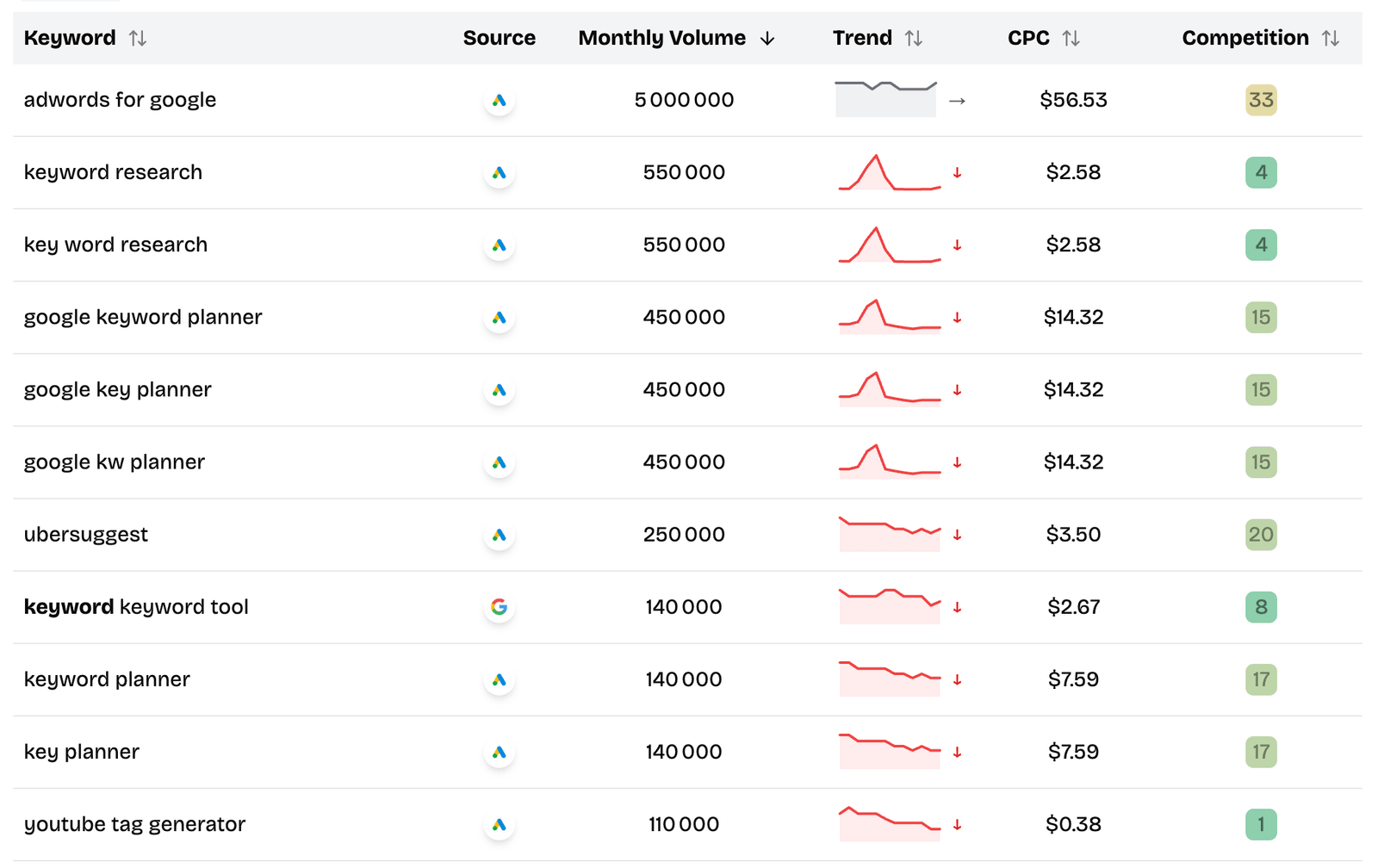
How I would use it:
- Start with a broad seed keyword.
- Look for modifiers that reveal intent: “for,” “best,” “near me,” “how to,” “without,” “vs.”
- Save clusters, not isolated keywords.
- Validate the cluster before writing anything.
Example:
- seed: “project management tool”
- useful long tail: “project management tools for freelancers”
- article angle: compare simple tools for one-person businesses, not enterprise project management software
That distinction is where long tail SEO gets interesting. You are not just chasing a phrase. You are choosing a reader.
Best for: fast discovery, autocomplete expansion, source-specific keyword research, and getting accurate search volume on promising ideas.
2. Google Search Console: Best Free Tool Once You Have Traffic
Search Console is not a classic keyword finder, but it is often the most valuable free keyword tool you have.
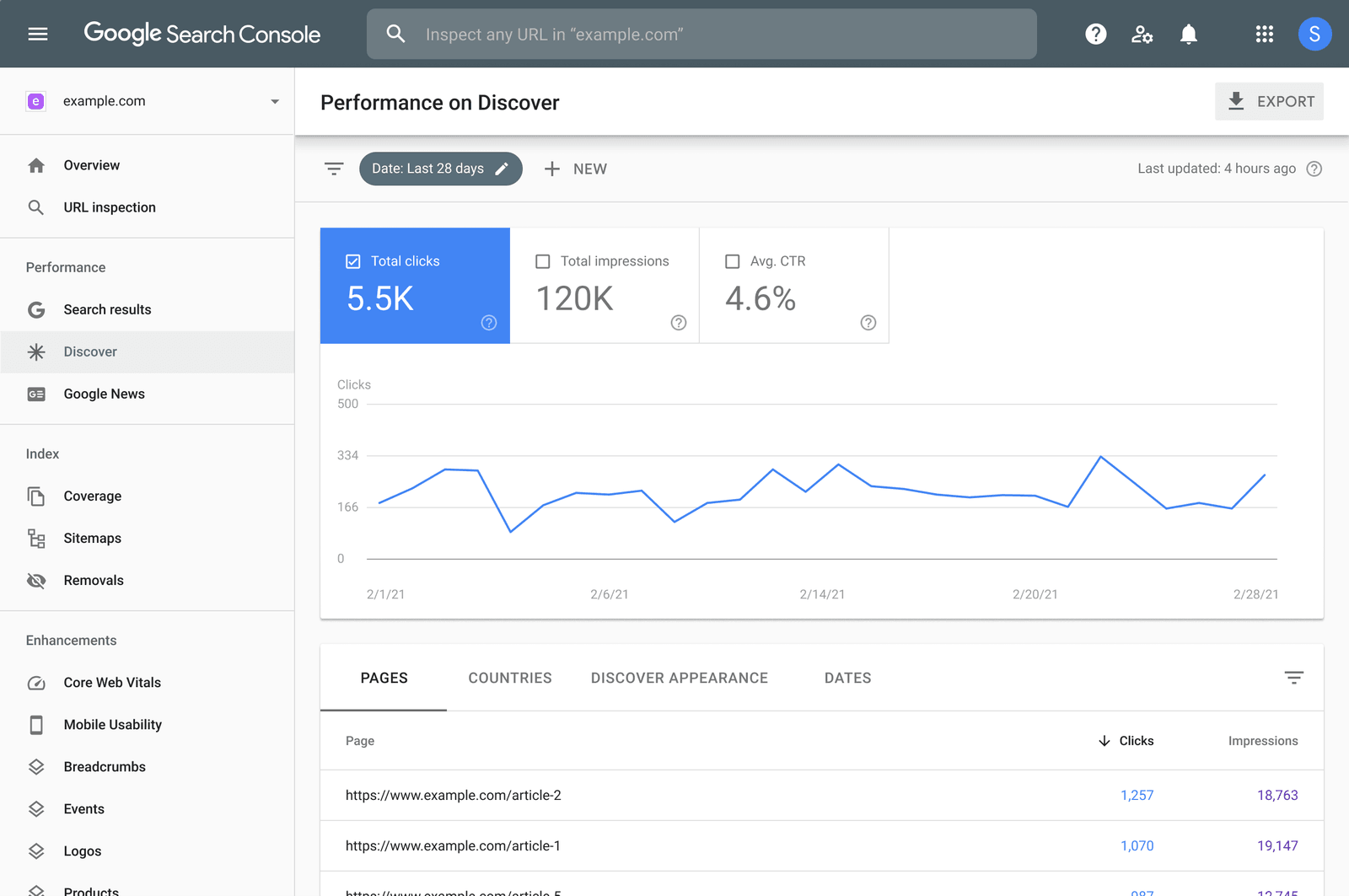
The reason is simple: it shows queries where Google already tested your site. In the Performance report, you can inspect clicks, impressions, average position, CTR, pages, countries, and queries. That makes it perfect for finding long tail keywords where you are close but not quite winning yet.
My favorite filter:
- Date: last 3 months
- Search type: Web
- Position: 8 to 20
- Impressions: high enough to care
- Query: includes your topic
Those are often “page two but possible” opportunities. You can update an existing article, add a section, create a supporting page, or improve internal links.
Best for: existing sites, content refreshes, quick wins, and finding long tail keywords Google already associates with your pages.
Official reference: Google’s Search Console Performance reports documentation.
3. Google Autocomplete: Best Manual Sanity Check
Even if you use a tool, I still like checking Google Autocomplete manually.
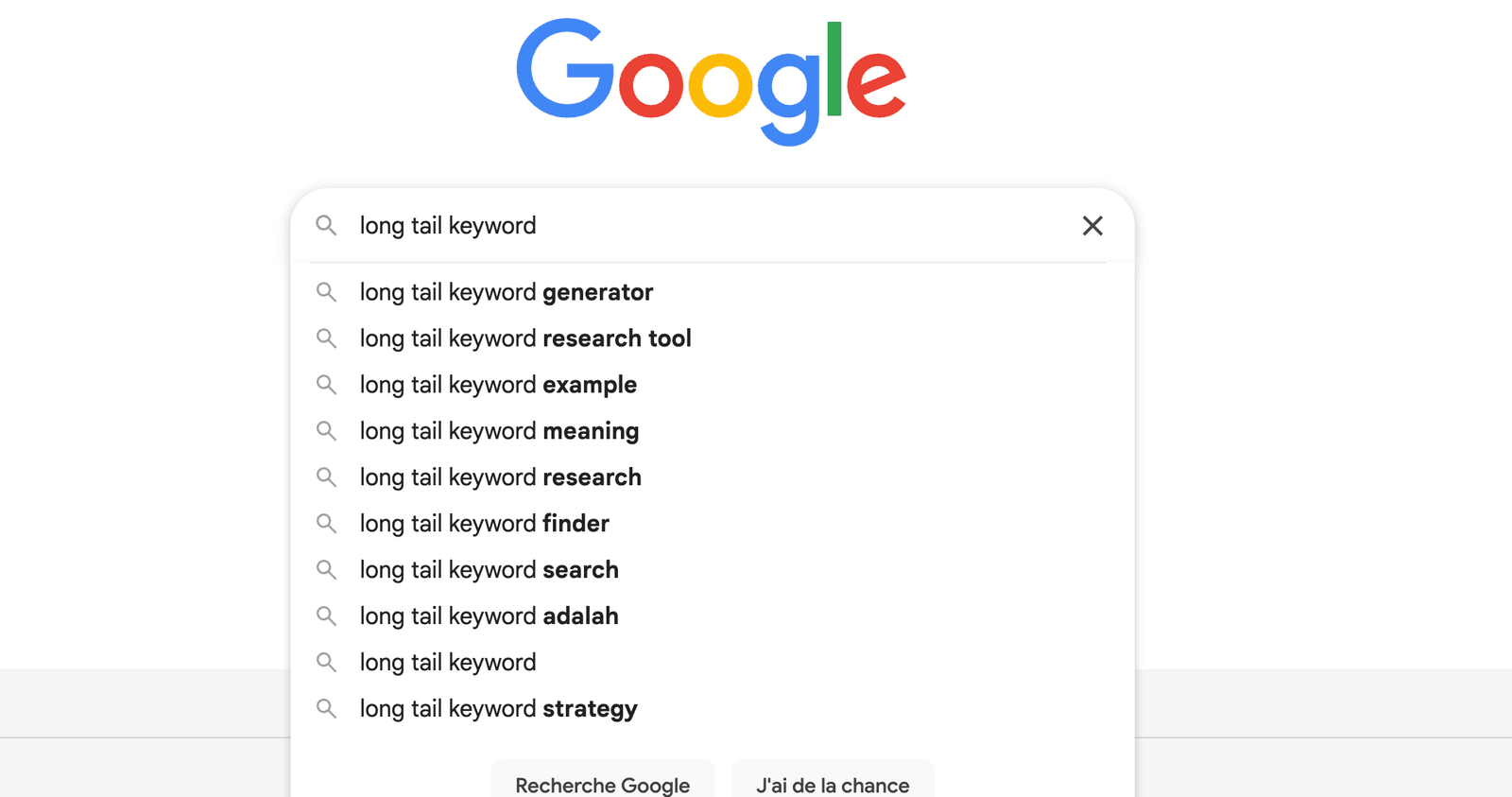
It forces you to look at the searcher’s language. Type your seed keyword slowly. Add one modifier. Try a few letters. Watch how the suggestions change.
For example:
- “long tail keyword”
- “long tail keyword examples”
- “long tail keyword generator”
- “long tail keyword finder free”
- “long tail keyword research for blog”
You can immediately see different intents:
- definition
- examples
- tool
- free tool
- workflow for bloggers
That is more useful than dumping 1,000 keywords into a spreadsheet and pretending they are all equal.
Best for: quick manual validation and understanding how Google frames a topic.
4. Google Trends: Best for Timing and Direction
Google Trends will not give you exact search volume. That is not what it is for.
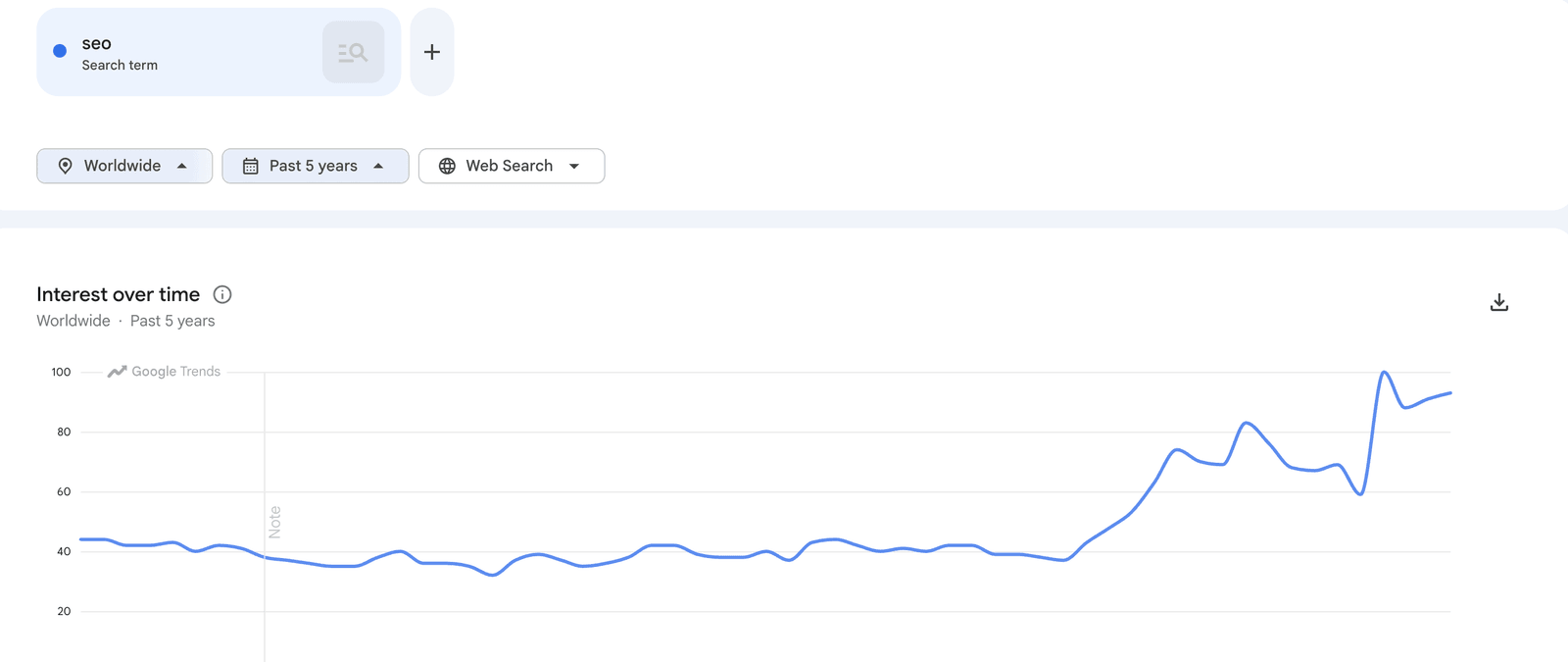
I use it to answer different questions:
- Is this topic rising or fading?
- Is it seasonal?
- Is one phrase clearly preferred over another?
- Are there related queries that suggest a new angle?
For long tail SEO, the “Related queries” section is the interesting part. Rising queries can reveal topics before every SEO tool has caught up.
Best for: seasonal content, trend validation, and choosing between similar keyword angles.
Official reference: Google Trends help.
5. AnswerThePublic: Best for Turning Topics Into Questions
AnswerThePublic is useful when your seed keyword is too broad and you need article angles.
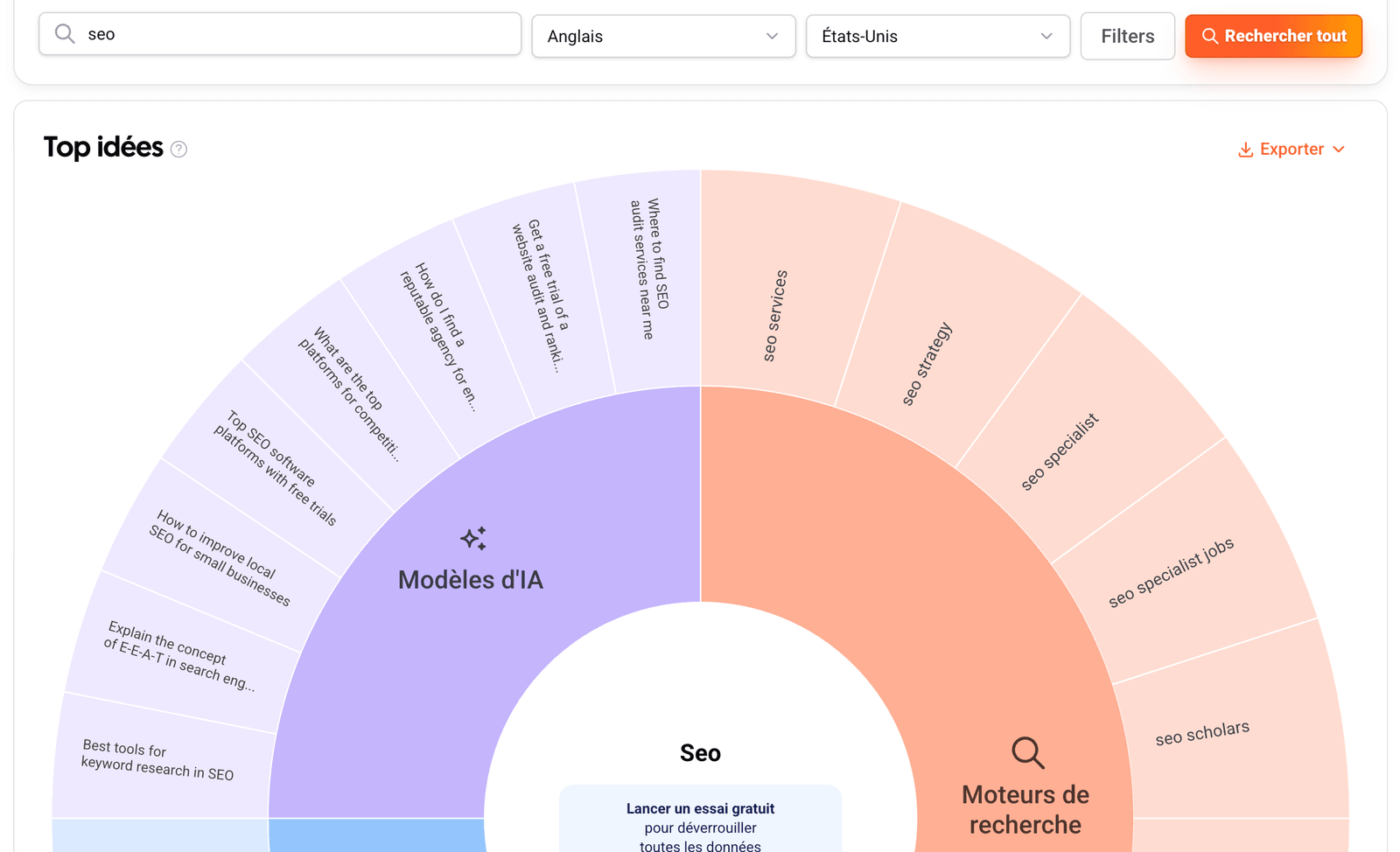
It is not where I would start volume research. I would use it after autocomplete, when I already know the topic is worth exploring.
Good uses:
- FAQ sections
- guide outlines
- “People also ask” style ideas
- beginner questions around a topic
Example:
Seed: “long tail keywords”
Useful questions:
- “how do long tail keywords work”
- “are long tail keywords better”
- “how to find long tail keywords”
- “why are long tail keywords important”
Best for: question-led content and FAQ expansion.
Note: the free plan gives access to core features with limitations, so use it intentionally rather than burning searches casually.
Reference: AnswerThePublic free plan guide.
6. AlsoAsked: Best for Question Chains
AlsoAsked is especially useful when you want to understand how questions connect.
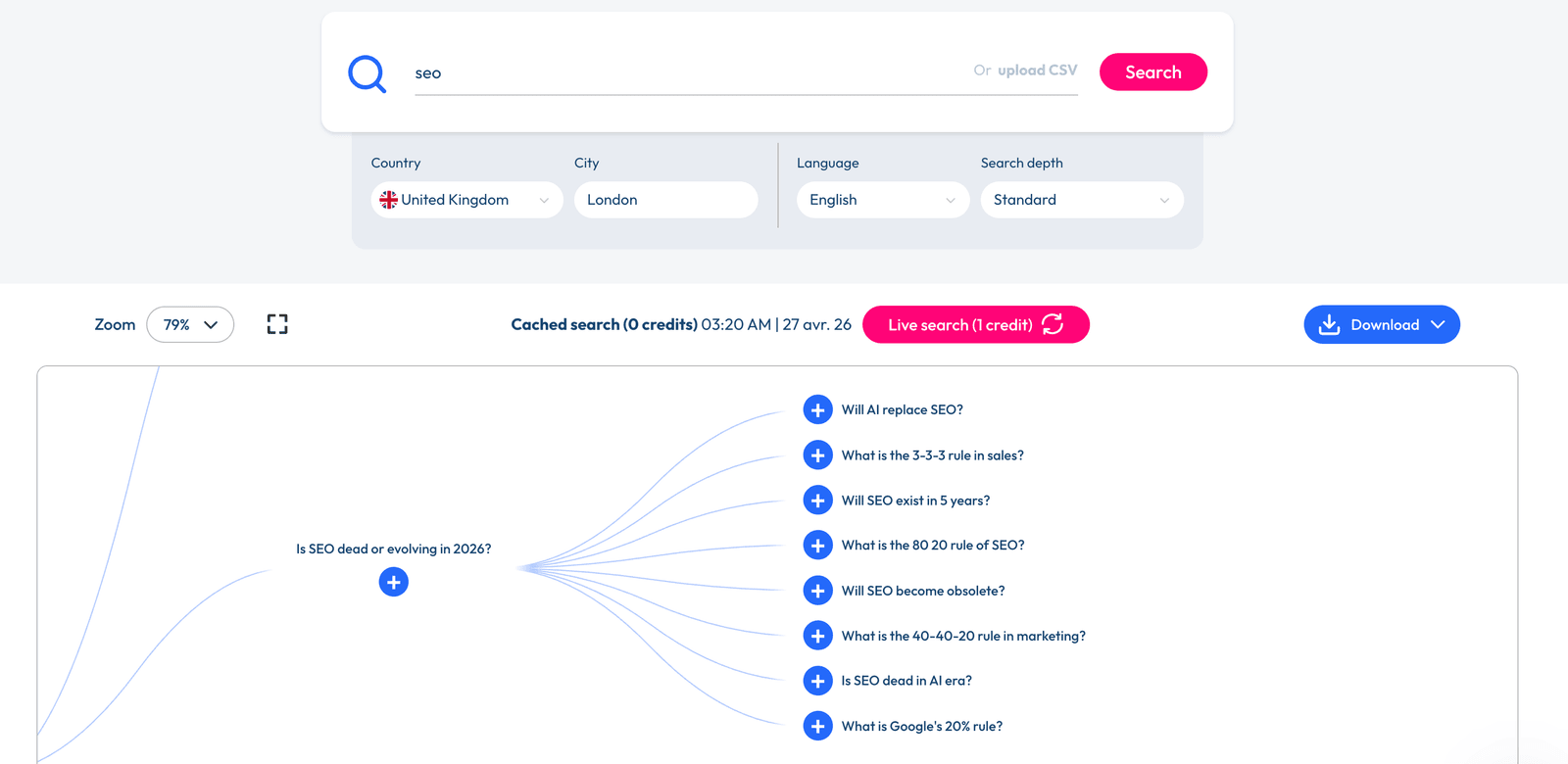
The value is not just a list of questions. It is the branching. You can see how one question leads to another, which helps when planning a page structure.
I would use it like this:
- Enter the main keyword.
- Pick the branch closest to your target reader.
- Use the related questions as sections, not separate articles by default.
- Only split into separate articles when the intent is clearly different.
Best for: content outlines, FAQ structure, and avoiding thin “one question, one page” SEO.
Reference: AlsoAsked free searches help page.
7. Reddit and Forums: Best for Real Language
Reddit is messy. That is why it is useful.
Keyword tools often clean up language too much. Real people do not search or complain in neat taxonomy terms. They write things like:
- “I’m stuck with…”
- “what’s the cheapest way to…”
- “is there a tool that…”
- “how do you all handle…”
Those phrases can become excellent long tail angles.
My process:
- Search your topic on Reddit.
- Sort by relevance or top posts.
- Look for repeated complaints.
- Copy the exact phrasing into a notes doc.
- Turn the repeated patterns into keyword seeds.
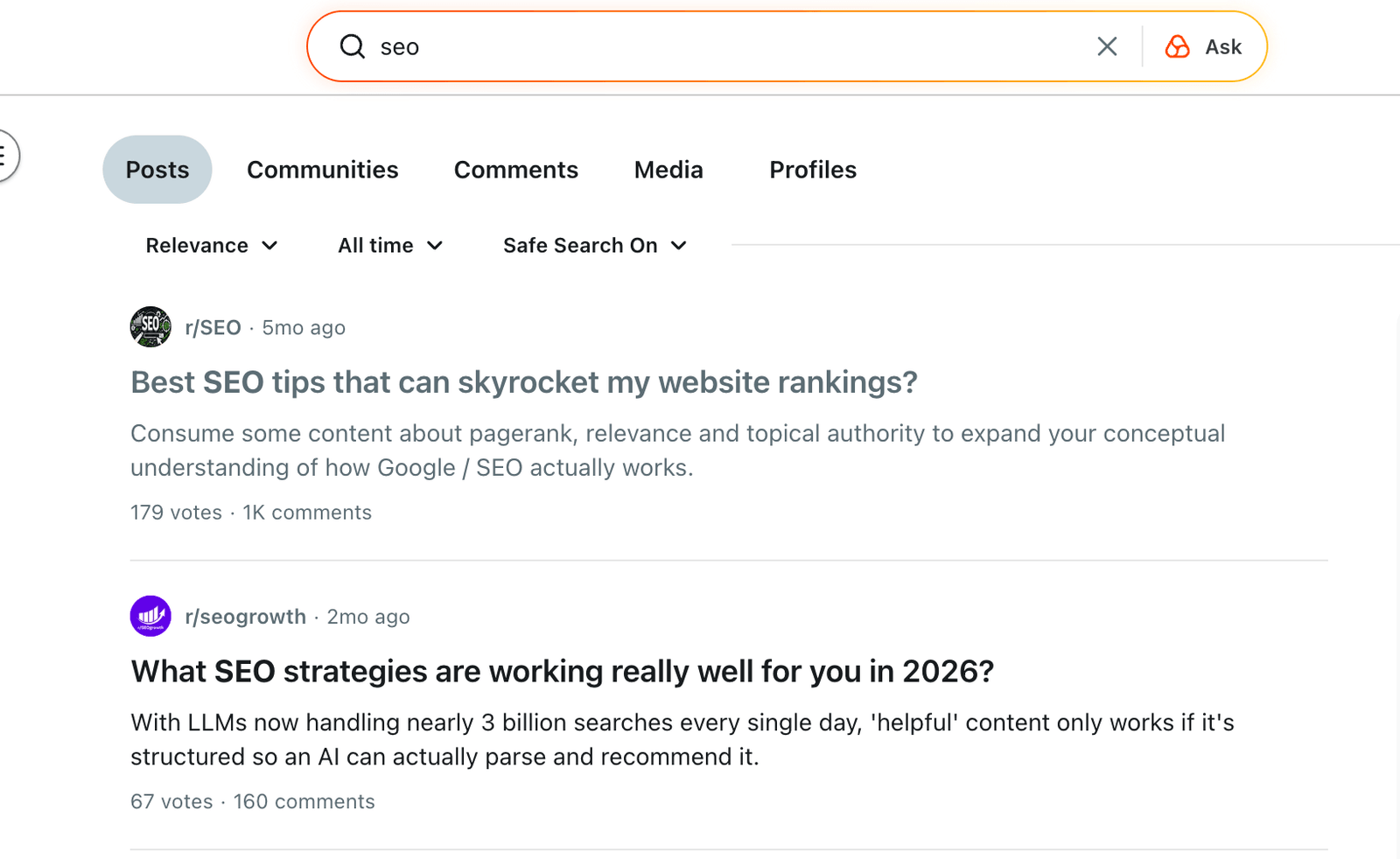
Do not use Reddit as a volume tool. Use it as a language tool.
Best for: pain points, audience language, and content that sounds human.
8. Google Keyword Planner: Best for Extra Google Ideas
Google Keyword Planner is still useful, but I would not treat it as the final truth for long tail SEO.
It was built for advertisers. That means the data and suggestions are shaped around paid search, not always organic content planning. Still, it can help you find related terms and broad demand ranges.
Good use cases:
- validating commercial intent
- finding adjacent keyword groups
- comparing rough demand between topics
- checking if advertisers care about the query
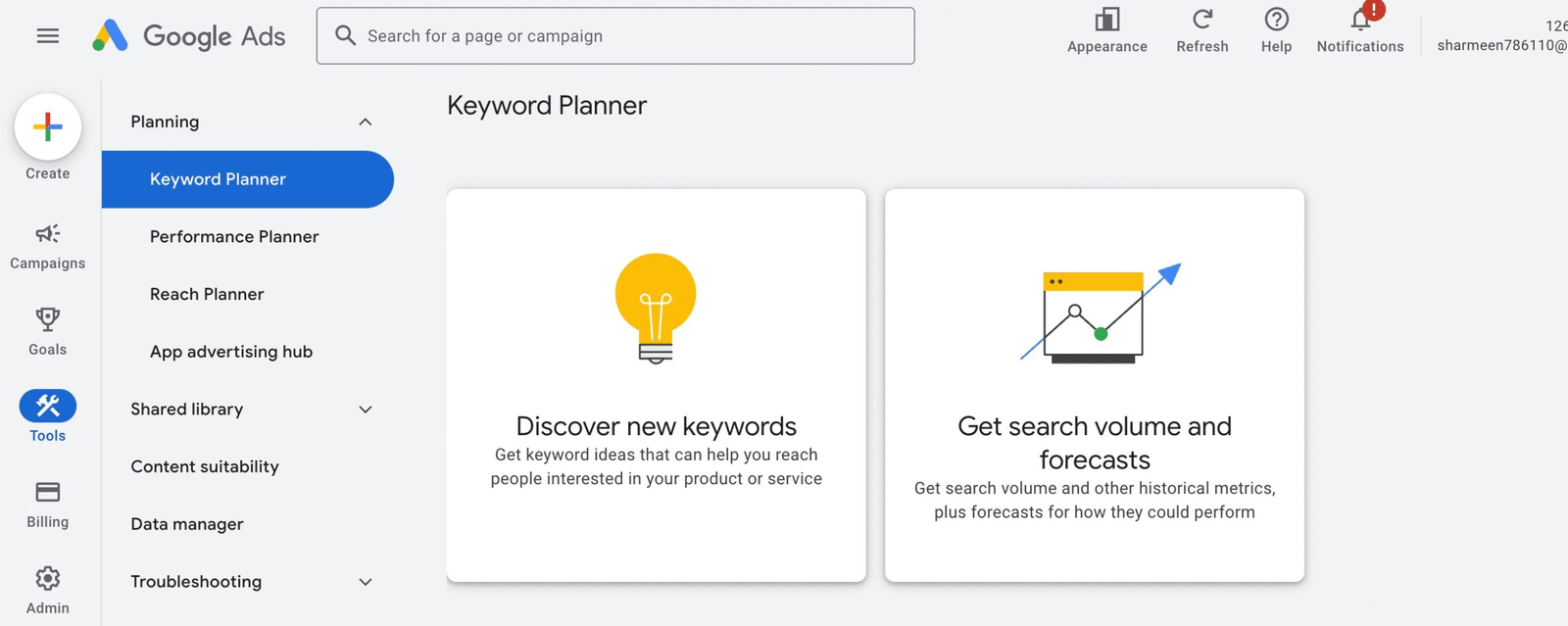
Best for: commercial long tails and paid-search-adjacent research.
9. Keyword Surfer: Best for Quick Volume Checks
Keyword Surfer is handy because it puts volume estimates into your normal Google searches.
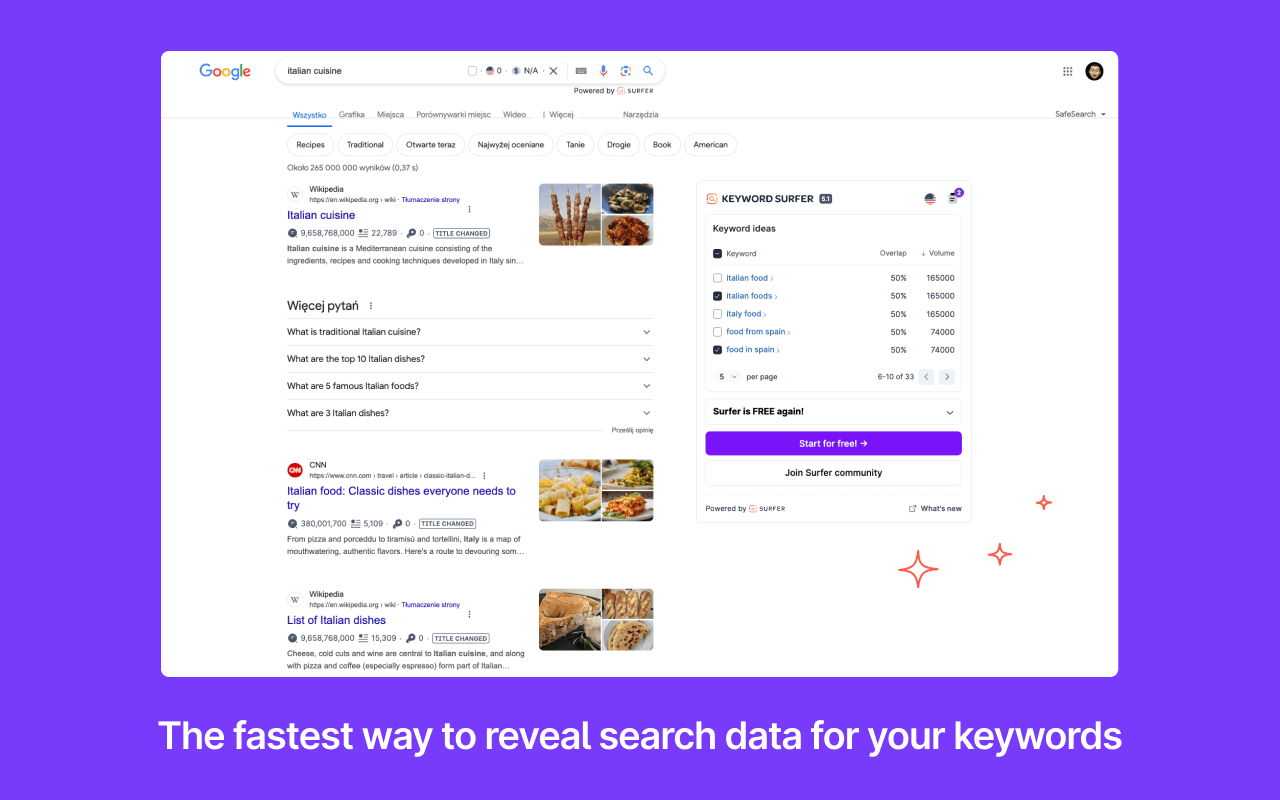
I would use it during manual SERP checks:
- Search the long tail keyword.
- Look at the SERP.
- Check if the pages ranking are strong or weak.
- Use the volume estimate as a rough signal, not a perfect number.
This is a good lightweight validation step before adding a keyword to your content plan.
Best for: quick checks while you are already reviewing Google results.
10. Bing Webmaster Tools: Best Secondary Source
Bing is smaller than Google, but that can be useful.
Some niches have meaningful Bing usage, and Bing’s free keyword research tools can surface related ideas that Google-centric workflows miss.
I would not build an entire strategy around Bing data, but I would use it as a secondary source when:
- your audience skews older or B2B
- you already have a site verified
- Google tools are giving you the same obvious suggestions
Best for: extra keyword ideas and non-Google validation.
11. Quora: Best for Problem Framing
Quora is not as strong as it used to be, but it can still help with problem framing.
I use it the same way I use Reddit: not for volume, but for phrasing. If a question has been asked many times in slightly different ways, there is probably a real pain point behind it.
Best for: article angles, beginner questions, and wording.
My Actual Free Workflow
If I had one hour to find long tail keywords for a new article, I would do this:
Step 1: Start With Autocomplete
Use ShuttleSEO or manual Google Autocomplete to expand the seed keyword.
Do not save everything. Save patterns.
For example:
- “for beginners”
- “for small business”
- “with search volume”
- “free”
- “alternatives”
- “examples”
Patterns tell you more than isolated phrases.
Step 2: Validate Demand
Check search volume with ShuttleSEO, Keyword Surfer, or Keyword Planner.
I do not need a keyword to have huge volume. I need it to be real enough to justify the page.
For a small site, I would rather target five specific phrases with 100-500 searches/month each than one broad phrase with 20,000 searches/month and no realistic path to ranking.
Step 3: Check the SERP Manually
This is the step people skip.
Search the keyword. Look at what ranks.
Ask:
- Are the top pages actually answering the query?
- Are they old?
- Are they too broad?
- Are they from huge authority sites?
- Is there a better format you could create?
If the SERP is full of strong, recent, focused pages, move on. If it is full of vague listicles, forum threads, or outdated posts, that is an opening.
Step 4: Build a Cluster, Not a Single Keyword
A good article usually targets a cluster:
- main keyword
- close variations
- supporting questions
- examples
- comparisons
- commercial modifiers
This is where AnswerThePublic, AlsoAsked, Reddit, and Search Console help.
What Makes a Free Keyword Tool Worth Using?
Here is my personal checklist.
It Shows Real Search Behavior
Autocomplete, Search Console, Trends, People Also Ask, and forum language are all based on real behavior. That is why I trust them more than a random AI keyword dump.
It Helps You Decide What to Write
A keyword list is not enough. The tool should help you infer intent.
“best long tail keyword finder” probably wants a comparison.
“how to find long tail keywords” probably wants a workflow.
“long tail keyword examples” probably wants examples by niche.
It Does Not Hide the Useful Part Immediately
Free tools can have limits. That is fine. The question is whether the free version still gives you enough to make a decision.
If a tool shows 200 keyword ideas but hides every metric, export, or meaningful detail, I would not call it useful for serious research.
Common Mistakes With Free Long Tail Keyword Tools
Mistake 1: Chasing Every Keyword
Most keyword ideas are distractions.
You are not trying to collect the biggest spreadsheet. You are trying to find pages worth writing.
Mistake 2: Ignoring Intent
Two keywords can look similar and need completely different pages.
Example:
- “long tail keyword finder” = tool intent
- “long tail keyword examples” = education intent
- “best long tail keyword finder tools” = comparison intent
If you mix those into one unfocused article, it will probably disappoint everyone.
Mistake 3: Trusting Volume Too Much
Search volume is useful, but it is not perfect.
Use it to compare opportunities, not to make absolute predictions. A keyword with “low” volume can still convert well if it has clear intent.
Mistake 4: Writing Before Checking the SERP
Never write from the keyword alone.
The SERP tells you what Google thinks the query means. You can disagree with it, but you should not ignore it.
Which Tool Should You Use First?
For most solo SEOs and bloggers, I would use this order:
- ShuttleSEO or Google Autocomplete for discovery.
- Keyword volume validation before committing.
- Google SERP review for intent and competition.
- AnswerThePublic or AlsoAsked for questions.
- Search Console once the site has data.
- Reddit/forums to make the article sound like a real person wrote it.
That last point matters more than people admit. Searchers can feel when an article was written from a keyword list instead of a real understanding of the problem.
FAQ
What is the best free long tail keyword finder?
For pure discovery, I would start with ShuttleSEO or Google Autocomplete because autocomplete reflects real search behavior. For an existing site, Google Search Console is often the most valuable free tool because it shows queries where your pages already get impressions.
Are free keyword tools accurate?
They are useful, but not perfect. Autocomplete is great for discovering phrasing. Search Console is excellent for your own site. Search volume estimates should be treated as directional, not exact.
How many long tail keywords should one article target?
One article should target one main intent, plus a cluster of close variations. If two keywords imply different readers or different page formats, they probably deserve separate pages.
Should I target keywords with very low volume?
Sometimes, yes. A low-volume keyword can be worth targeting if the intent is specific, the SERP is weak, and the reader is valuable. For a small site, these are often the best opportunities.
Is Google Search Console a keyword finder?
Not in the traditional sense, but it is one of the best free keyword opportunity tools once your site has impressions. It shows the queries Google already connects with your pages.
Final Take
The best free long tail keyword finder is not a single tool.
It is a workflow:
- Find real phrases.
- Validate demand.
- Check intent.
- Group related ideas.
- Write the page that should exist.
If you do that consistently, you will find better long tail opportunities than someone paying for a huge keyword database and blindly exporting everything.
Start with one seed keyword. Pull the autocomplete ideas. Validate the ones with clear intent. Then write one focused page that answers the query better than what is currently ranking.
That is still the simplest long tail SEO strategy I know.
Related Articles
- What is a Long Tail Keyword? The Complete Guide - The foundation behind long tail SEO and why specific queries matter.
- 15 Powerful Long Tail Keyword Examples That Actually Drive Results - Concrete examples by intent and niche.
- How to Master Keyword Research for Your Blog - A broader workflow for planning blog content from keyword research.